A classroom buzzer system on the iPads you already have
Review games where every student buzzes in, not just the two holding the plastic buttons.
Get it on the App StoreEvery student gets a buzzer
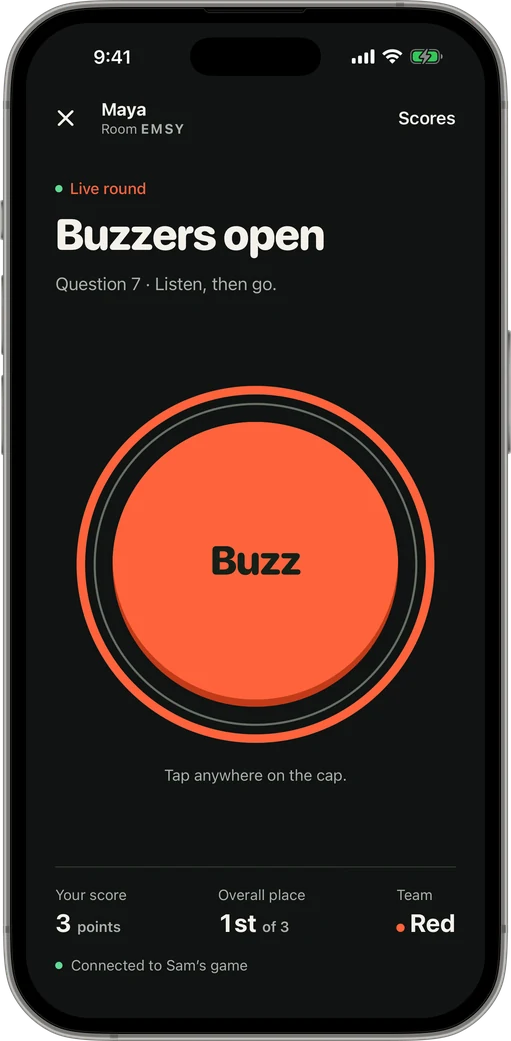
Students join on a class iPad or their own phone with a four-letter code and their name. Up to 100 can be in one room, so the whole class plays at once.
No accounts, no email addresses, no ads. Players only type a display name.
Run it from your desk
On an iPad the host gets a desk layout: buzz order, right and wrong buttons and the scoreboard on one screen. Split the class into teams, set an answer timer, and let a wrong answer pass to the next student in line.
How it works
-
1Open a room
The host taps Host a Game and gets a four-letter code, plus a QR code and a share link.
-
2Friends join
Players open the app on their own iPhone or iPad, type the code and a name. No shared Wi-Fi needed.
-
3First press wins
The host opens the round. Buzzes are ranked by when each phone was pressed.
Questions
Do students need accounts?
No. Students enter a name and the room code. Nothing else.
Does it work on school Wi-Fi?
Yes, and it doesn’t need every device on the same network. If school Wi-Fi blocks it, a phone on cellular still works.
Are there ads?
No. There are no ads for players or hosts.
Keep reading
Your room. Your game show.
Get it on the App Store