The face-off buzzer for Feud night
Two players step up, the host reads the survey, and the first hand on the buzzer gets to answer.
Get it on the App StoreSet up the face-off
Split everyone into teams in the app. Each family member joins from their own phone, so whoever steps up for the face-off already has a buzzer in hand.
The host opens the round, reads the survey question, and the app shows who buzzed first and by how much. Too close to call? The app says so, and you pick who answers.
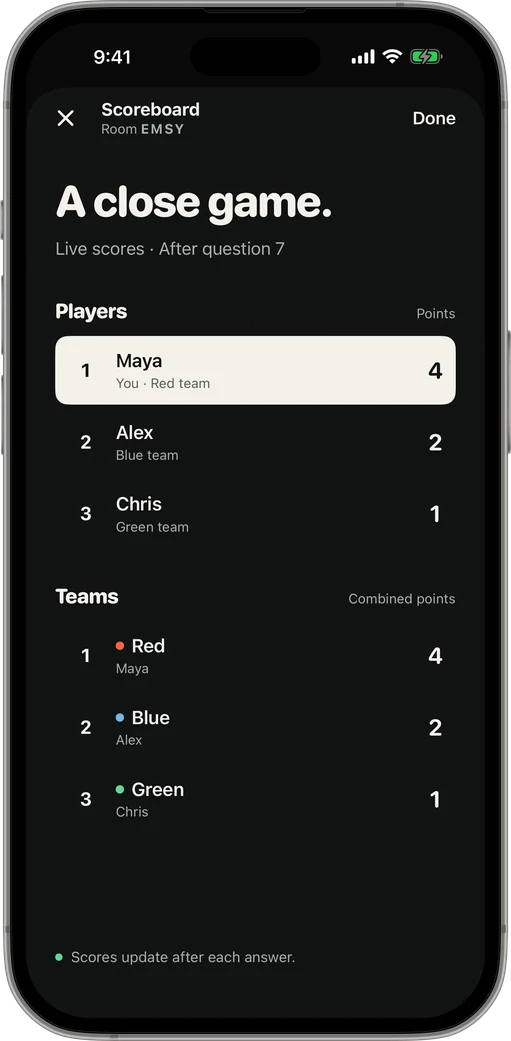
Keep the score without a whiteboard
Award points to the player and their team adds up automatically. The scoreboard sits one tap away between rounds, so nobody argues about the totals at the end.
Jeopardy! and Family Feud are trademarks of their owners. Game Show Buzzer is not affiliated with or endorsed by either show.
How it works
-
1Open a room
The host taps Host a Game and gets a four-letter code, plus a QR code and a share link.
-
2Friends join
Players open the app on their own iPhone or iPad, type the code and a name. No shared Wi-Fi needed.
-
3First press wins
The host opens the round. Buzzes are ranked by when each phone was pressed.
Questions
Does it come with survey questions?
No. Game Show Buzzer is the buzzer and scoreboard. Write your own surveys, or ask the family beforehand and tally the answers.
Can kids play?
Yes, anyone who can tap an iPhone or iPad can buzz. Joining takes a four-letter code and a name.
How many teams?
Up to three: Red, Blue and Green.
Keep reading
Your room. Your game show.
Get it on the App Store